
Home Maintenance Binder · Spreadsheet + printable PDF
The maintenance manual your inspection report left out.
An inspection tells you what is wrong today. This tells you what to do next, and when: a 90-day plan for a new home, 69 recurring tasks, replace-by years for the big systems, and a log of everything you fix.
$14.99 one-time · no subscription · instant download
13 tabs for Google Sheets, Excel and LibreOffice, plus a print-ready PDF binder. Personal single-household license. Refund terms on the refunds page.
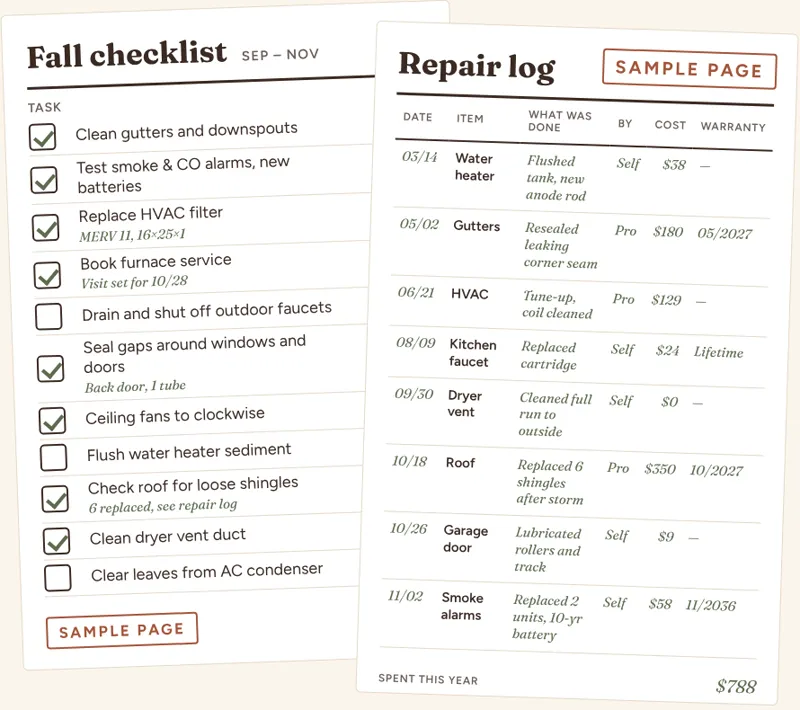
Houses do not come with a manual
You get a stack of papers at closing, a folder of manuals you will never find again, and an inspection report full of items without deadlines. Then a gutter overflows, a water heater gives out at year twelve, and nobody wrote down the filter size.
The binder puts it in one place. Enter your home once. Mark what you did and when. The dashboard shows what is overdue, what is coming up, and what big replacements to save for.
What is inside
Thirteen tabs, no macros, no add-ons.
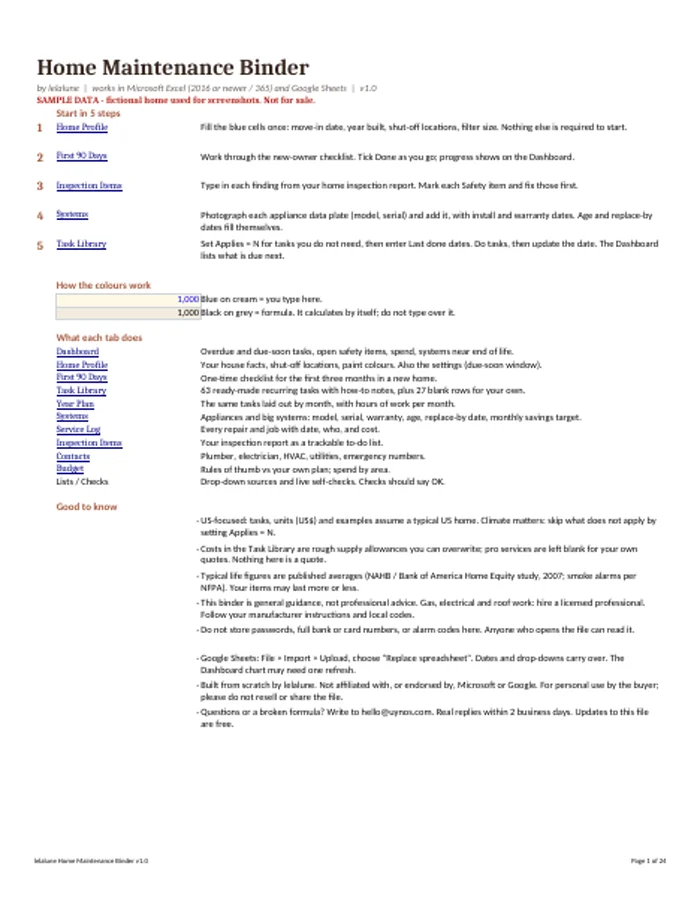
Start Here
How to use the workbook in five minutes.
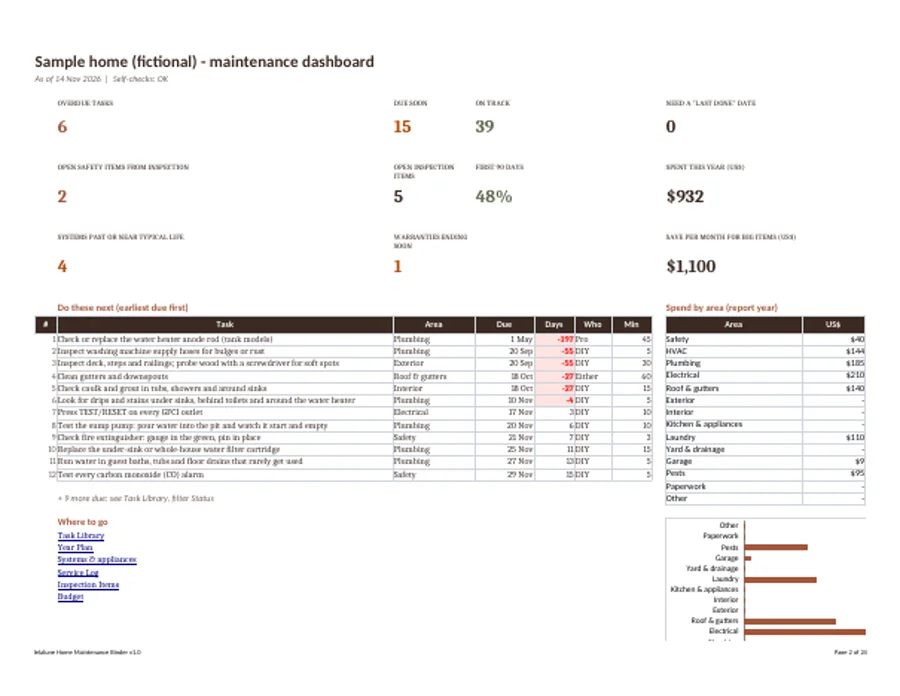
Dashboard
What is overdue, what is due soon, spend this year.
Home Profile
Address, year built, shut-off locations, paint colors, filter sizes.
First 90 Days
29 ordered items for a new home.
Task Library
69 recurring tasks with frequency, DIY or pro, time and cost.
Year Plan
Tasks spread across the 12 months.
Systems
Install year, replace-by year and a monthly sinking fund.
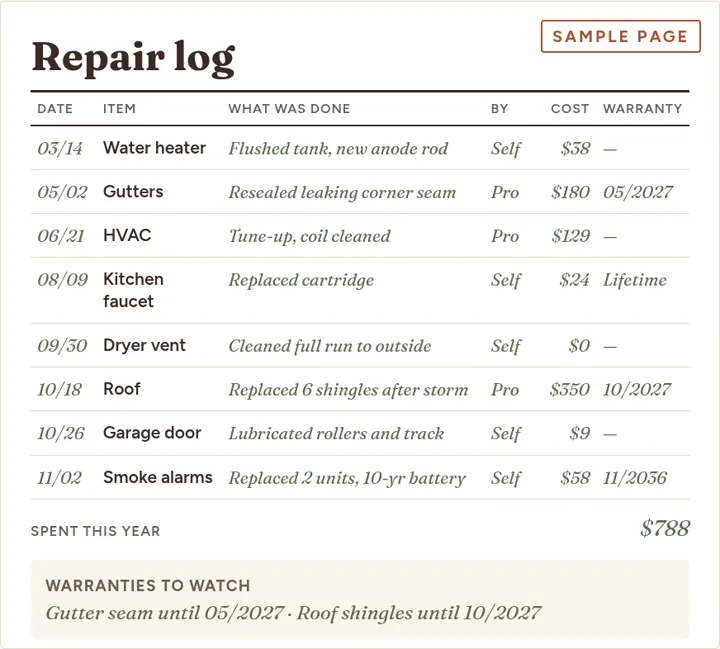
Service Log
Every repair: date, who, cost, warranty.
Inspection Items
Turn the inspection report into a tracked to-do list.
Contacts
Plumber, electrician, HVAC, utilities, emergency.
Budget
Spend by area and by year.
Lists
Editable drop-down choices.
Checks
Built-in self-checks for the formulas.
See the pages
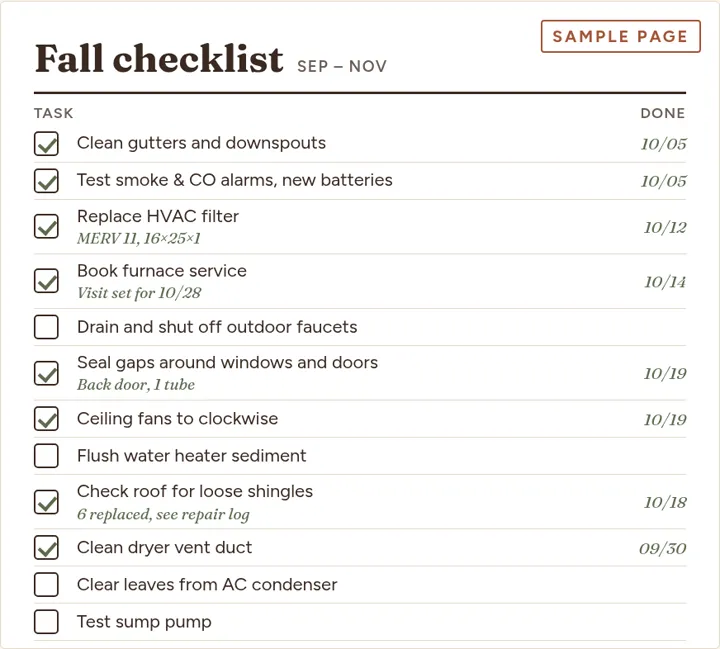
Sample pages using a fictional home.
How it works
- Fill in your home. Year built, shut-off locations, filter sizes, install years of the major systems. About 15 minutes.
- Work the First 90 Days list. 29 items in order, safety first, ending with a baseline of every system.
- Let the plan run. Enter last-done dates. The dashboard ranks what is due. Log each repair as you go.
Honest comparison
| This binder | Free printable checklists | Maintenance apps | Your own spreadsheet | |
|---|---|---|---|---|
| Cost | $14.99 once | Free | Free tiers; paid plans are often a subscription | Your time |
| Tells you what is due | Yes, from last-done dates | No, a static list | Yes, with reminders and notifications | Only if you build it |
| Replace-by years and savings | Yes, editable | Rarely | Varies | Only if you build it |
| Works offline, you own the file | Yes | Yes | Usually cloud-based | Yes |
| Print as a physical binder | Yes, PDF included | Yes | Not usually | You format it |
| Push reminders to your phone | No. A spreadsheet cannot do this | No | Yes | No |
| Setup effort | About 15 minutes | None | Account and setup | Hours |
If you want automatic phone reminders, an app is the better tool. If you want a file you own, can print and adapt, and no subscription, this is built for that. Our free seasonal checklist is a good way to try the style first.
Who it is for
Good fit
- New homeowners in the US, Canada and Australia
- Owners who want one record of repairs and warranties
- Renters who want a documented log of repairs and requests
- People who like a printed binder
Not a fit
- You want push notifications or a phone app
- You need a property manager tool for many units
- You expect it to diagnose problems. It is an organizer, and not a substitute for a licensed contractor or inspector
Lifespans and cost figures are planning estimates from published ranges and are editable. Electrical and gas safety checks must be done by a licensed professional.
Questions
Does it work in Excel, Google Sheets and LibreOffice?
It was tested in Google Sheets and in LibreOffice, and is designed for Excel 2016 and later and Microsoft 365. We have not yet run it through desktop Excel ourselves, so if you see something odd there, email us and we will fix it. It uses ordinary formulas, drop-downs and conditional formatting, and no macros.
What exactly do I receive?
A 13-tab workbook (.xlsx) that you can open in Excel, upload to Google Sheets or open in LibreOffice, plus a print-ready PDF binder (a standard version and an ink-saver version) with the same checklists, logs and forms for a physical three-ring binder. You get both after checkout.
Is there a sample of my data in it?
The delivered workbook is a clean, blank template with the task library, the First 90 Days list and the system life ranges already filled in. The screenshots on this page use a fictional sample home.
How does it know what is due?
Each recurring task has a frequency and a last-done date. You enter the date you last did it, or leave it blank and the plan starts from your move-in or start date. The Dashboard lists overdue and upcoming tasks, earliest first. Date logic was checked against several edge cases such as year-end and leap-year dates.
Can I print it?
Yes. The PDF binder is laid out for US Letter paper, with room for three-hole punching, and has an ink-saver variant with lighter fills. The spreadsheet tabs also have print areas set, so you can print a tab such as the Service Log directly.
Is it for renters or only for owners?
Both can use it. Renters will mostly use the Home Profile, Service Log, Contacts and the tasks that apply to a unit; owner-only tasks such as roofing and gutters can be marked N/A. Owners get the most from the Systems tab, which tracks replace-by years and a monthly sinking fund, and from the Inspection Items tab. See also our renter vs landlord guide.
Where do the system lifespans come from?
From published ranges, such as the NAHB study of component life expectancy and NFPA guidance for smoke alarms. The workbook uses the conservative end of each range as a planning figure, and you can overwrite any of them. Real life depends on climate, usage and care, so they are estimates, not guarantees.
Are the cost figures accurate for my area?
No. They are rough supply allowances that we have not verified for your region. Treat them as placeholders and replace them with quotes or your own receipts.
Does it replace a home inspector or contractor?
No. It is an organizer. It does not diagnose problems. Electrical and gas safety checks, roof work and structural questions belong with licensed professionals.
What is the license?
Personal use for a single household, including your own home or rental. You may print copies for your household. You may not resell, share or redistribute the files, or use them for clients as a commercial service. Full text in the terms.
What is your refund policy?
If the file is defective and we cannot fix it within 2 business days of your report, you get a refund within 14 days of purchase. Digital files cannot be returned, so we do not refund for change of mind. Customers in the EU and UK: see the refund page for how your statutory rights work.
How do I get the file after paying?
The payment provider shows a download link right after checkout and emails you a receipt. If anything does not arrive, write to support@uynos.com and we will reply within 2 business days.
Does it work on a phone or tablet?
The Google Sheets mobile app opens it and is fine for ticking things off and logging a repair. Setting it up is more comfortable on a computer.
Is there a subscription, or do I need an account?
No. It is a one-time purchase of $14.99 and a file you keep. There is nothing to log in to.
Write it down once.
Home Maintenance Binder · $14.99 one-time
Questions before you buy? support@uynos.com. We reply within 2 business days. Guides: monthly schedule, first 90 days.